Maestro Motion
2024
An interactive installation where visitors become conductors: their body gestures control generative music and visuals, and each performance becomes a digital vinyl they can keep and add to a shared gallery.
Key Features
Body pose detection using webcam -> ml5.js
Real-time music generation with Tone.js
Interactive visual feedback using p5.js
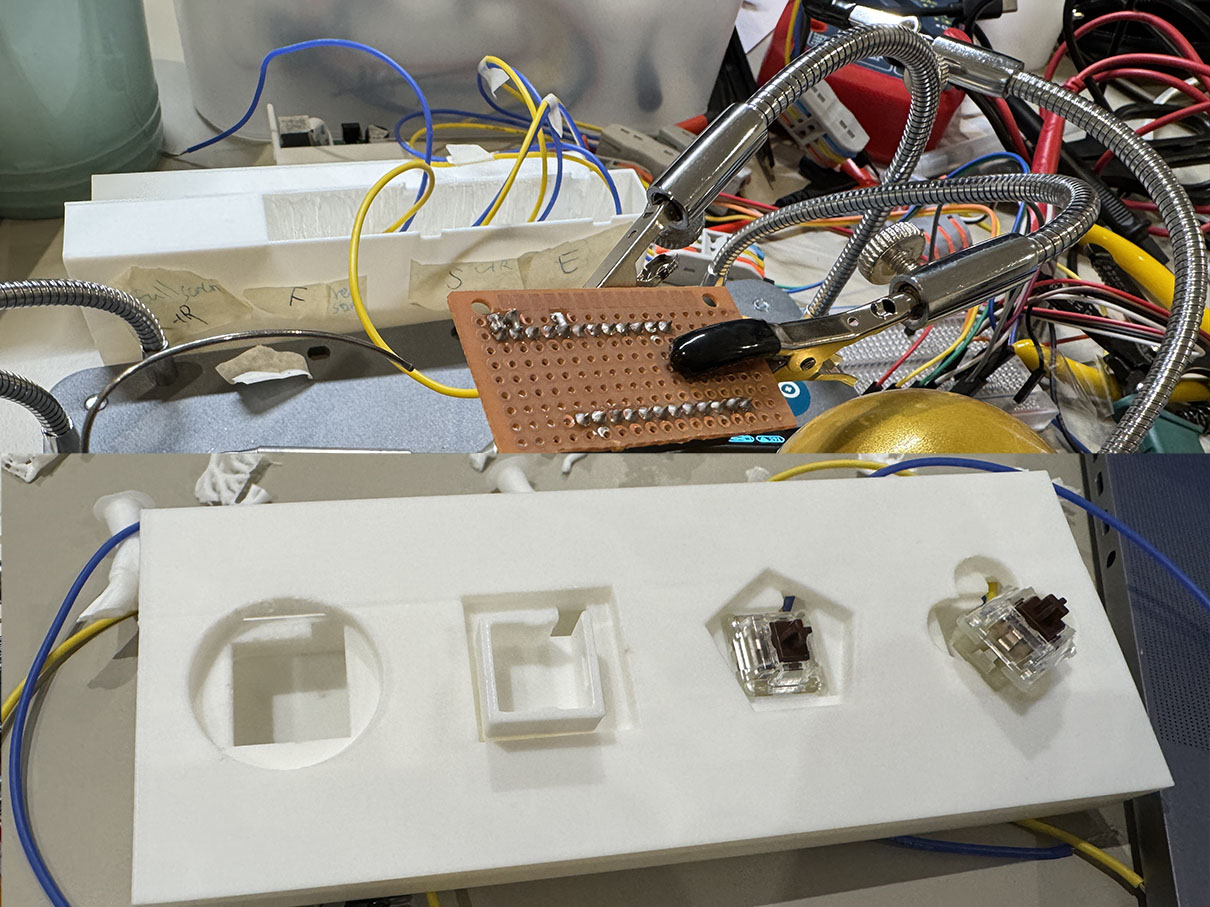
Custom-built control panel with Arduino & 3D Printing
Online database for storing user-generated vinyl records
Project Overview
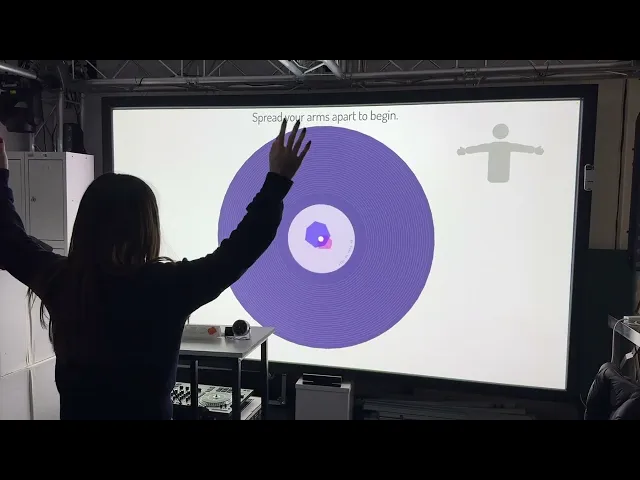
Maestro Motion is an interactive music and visual installation that turns visitors into conductors of their own composition. Using a webcam and body pose detection, participants control musical parameters and generative visuals with upper-body gestures. Each performance is captured as a unique digital vinyl — a visual record that is saved, displayed in a gallery wall, and accessible later via QR code.
The project was designed for exhibition environments, with a focus on:
* Low entry barrier: No musical or technical background required
* Fast, intuitive interaction: Entire journey within ~5 minutes
* Memorable takeaway: A personalised generative vinyl as a keepsake
* Scalable system: Web-based architecture that can run on standard hardware
2. Problem & Design Goals
Design challenge
Most people see music production and conducting as "specialist skills" that require training, software, or instruments. The challenge: How can we let anyone feel like a conductor and create their own music piece, using only their body and a simple interface? At the same time, the project needed to function as a gallery-ready installation: robust, easy to operate in a public space, and engaging even for passersby who don't read instructions.
Goals
I defined a set of concrete design goals to guide decisions:
* Accessibility & simplicity
* No prior music knowledge needed
* Minimal text; learn-by-doing interaction
* Expressive but safe
* Users should feel they're genuinely shaping the music
* The system must always output something that still sounds "good"
* Clear, contained journey
* A visitor can:
1. Understand what to do
2. Create their piece
3. Receive a digital vinyl all within ~5 minutes
* Participatory & persistent
* Each visitor contributes to a growing vinyl wall
* The gallery visualises collective participation over time
* Portable & web-based
* Runs in the browser with pose detection, sound, and visuals
* Cloud backend to store vinyl records and support remote access
3. Target Users & Context
Primary users
• General public at an art/tech exhibition
• Many have no music or coding background
• Mixed levels of comfort with cameras and full-body movement
Context
Gallery / festival space with:
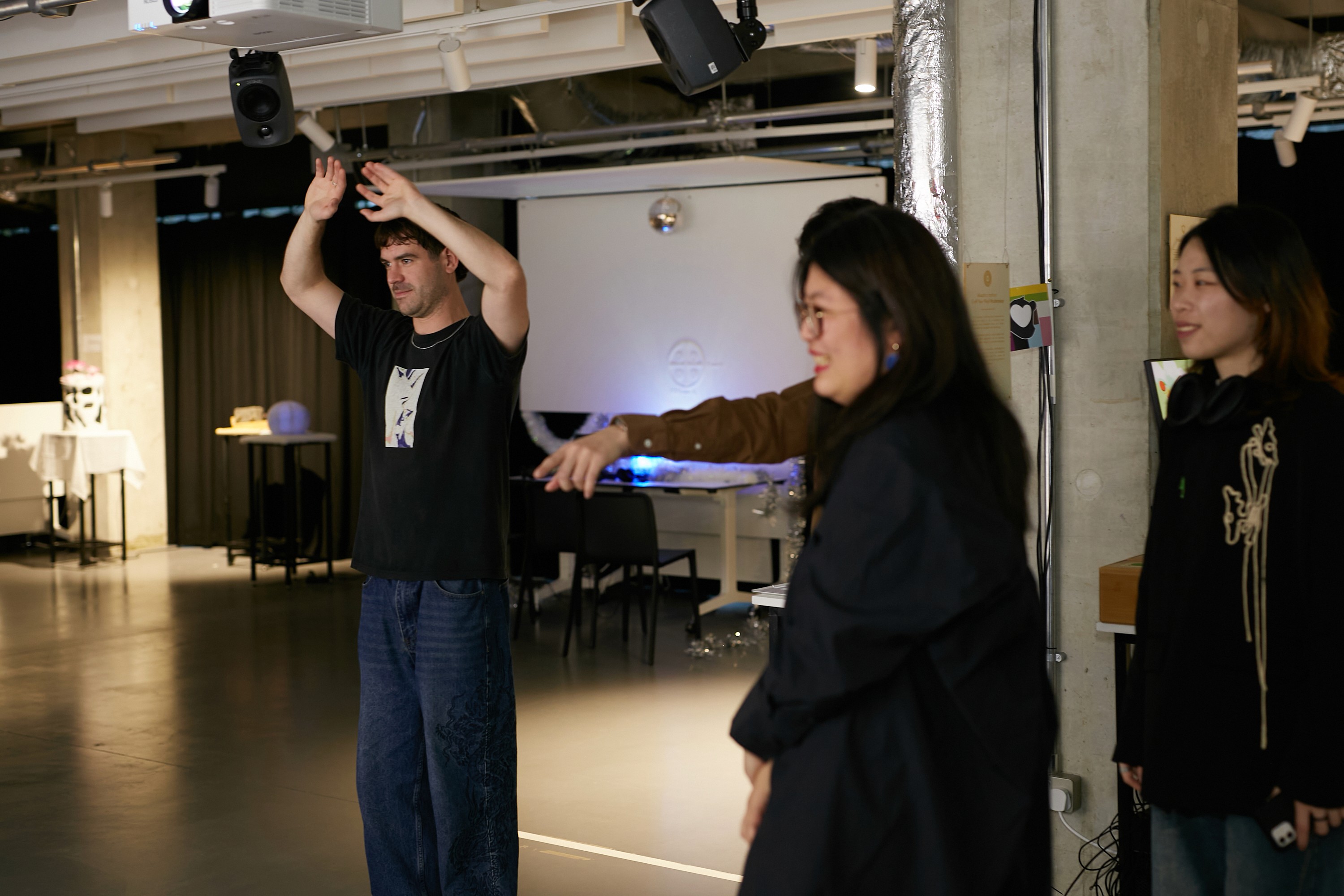
* People walking past, watching others play
* Limited attention span
* Environmental constraints: lighting, space, internet quality, noise
Design implications:
• The installation must explain itself from a distance (gallery wall + projection) • Onboarding must be lightweight: people often watch 1–2 users before trying • The system must be robust to variable lighting and camera positions
4. Design Evolution & Concept Decisions
Before arriving at Maestro Motion, I explored several directions:
4.1 Discarded concept: "Build Your Own Island"
An earlier idea allowed participants to generate an island based on personality questions and control it with hand gestures in 3D.
Why it was dropped:
* Mapping psychological questions → visual features became too complex
* Needed expertise in psychology + deep 3D design
* Risk of oversimplifying personality or feeling arbitrary
What I learned: Scope needs to match resources. If the mapping between user input and outcome isn't meaningful enough, the experience becomes decorative, not insightful.
4.2 Discarded concept: "Participatory Digital Vinyl Gallery"
Next, I explored a concept where each participant designs a vinyl (visual + sound) with a lot of control over parameters.
Problem discovered through prototyping:
* Too many manual controls made it overwhelming for non-artists
* People without visual/sound design background often didn't like what they produced, which hurt the experience
Key insight: Open-ended control isn't always empowering. For this project, I needed constrained, guided creation that guarantees satisfying results.
4.3 Final concept: Body as Conductor
By combining body pose detection (ml5.js) with generative sound (Tone.js), I arrived at the metaphor:
Your upper body is the baton: gestures conduct pre-orchestrated musical layers, not raw sound design. This balances:
* Expressiveness (you really control something)
* Safety (the system ensures musical coherence)
* Simplicity (few gestures, clear mapping)
5. System & Interaction Design
5.1 Architecture (Product thinking)
The system is composed of four main parts:
* Tone.js — multi-track sound engine
* Multiple instruments (e.g. chords, arpeggio, drums) via samplers
* Per-track compressors + master compressor for stable mix
* Effects: EQ, ping-pong delay, chorus, reverb, phaser
* p5.js — visual rendering & interaction state
* Idle gallery view
* Interaction view with guidance, HUD, and vinyl visualisation
* Vinyl label generation and shaping (Perlin-noise–based shapes)
* ml5.js (offline models) — pose detection
* Offline MoveNet (single pose) + handpose models
* Chosen to avoid exhibition Wi-Fi instability
* Firebase — hosting & database
* Stores generated vinyl images + metadata
* Powers gallery wall and QR-code deep links
This architecture makes the piece:
* Portable (runs in browser)
* Exhibition-ready (offline ML models)
* Extendable (future pro musician tools, web gallery, remote access)
5.2 Interaction flow
A typical visitor journey:
1. Idle gallery wall
* A "vinyl wall" displaying previously created records invites curiosity.
* From a distance, people understand that "others have made something here."
2. Entry: Start or Scan
* Option A: Press a physical start button on the controller
* Option B: Scan a QR code to open a label customisation page on their phone, edit text / shape, then scan a generated code back into the installation to load their design
3. Music preference
* Visitor selects a beat-based or non-beat style (more atmospheric).
* This choice adjusts how gestures are mapped to musical parameters.
4. Gesture onboarding
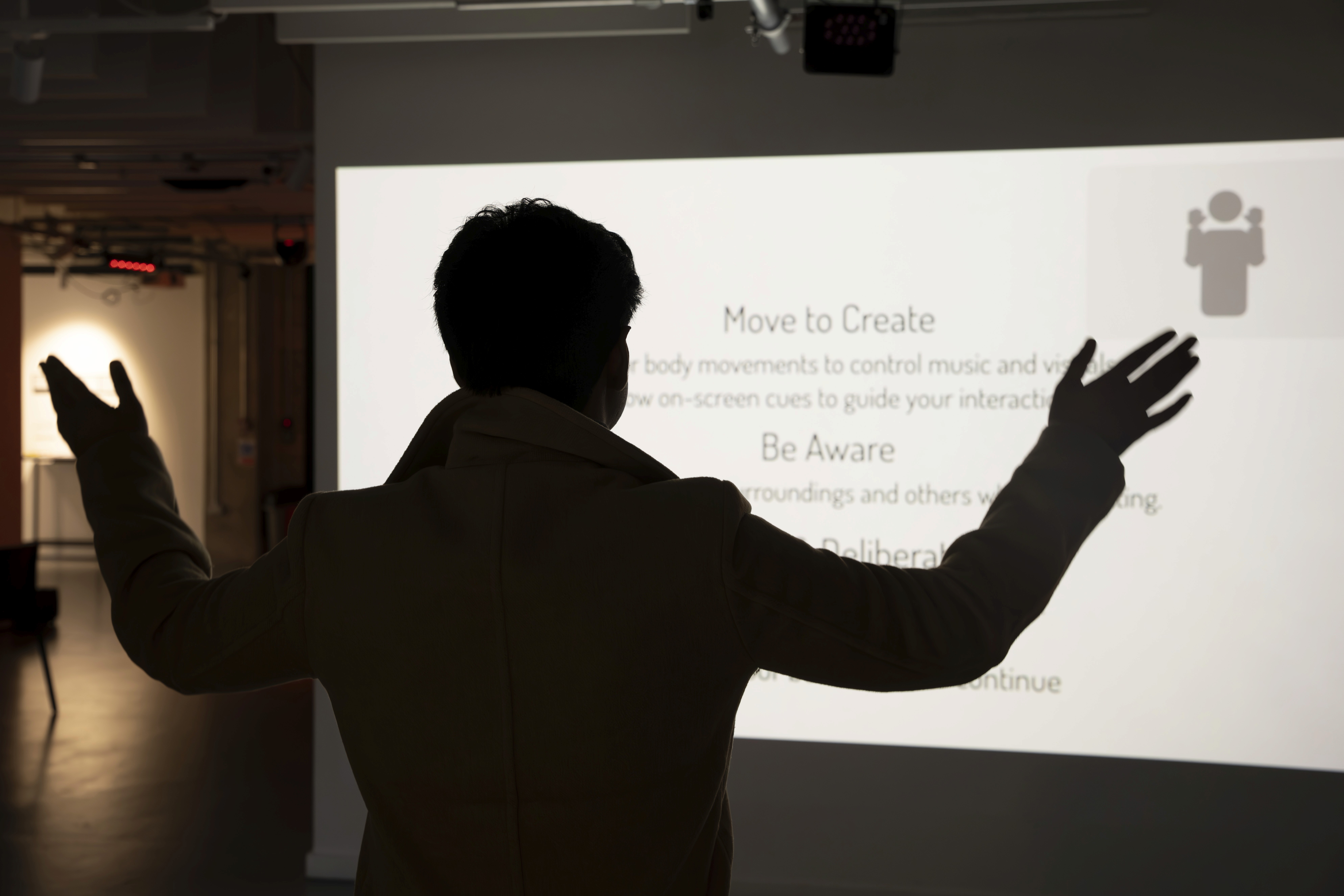
* A grey human figure + simple animation shows how to raise hands.
* Text prompt: "Raise your hand to start."
* Once hands are raised, the music begins.
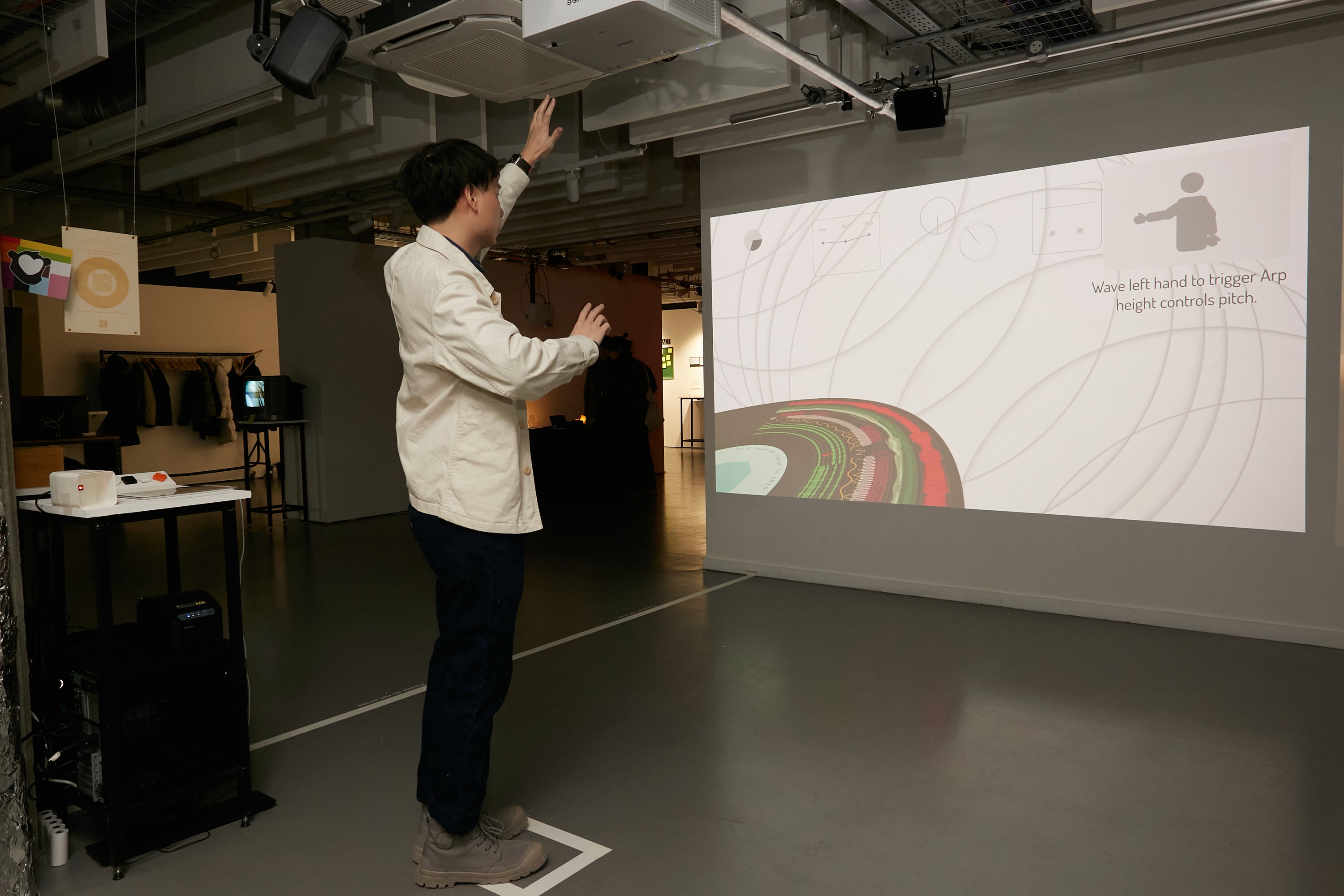
5. Live conducting
* Left hand → EQ (mid & high frequencies)
* Right hand → arpeggio, chords, or beat effects (depending on mode)
* HUD elements:
* Progress circle (time left)
* Live hand-position indicator
* Gesture guide reminder
* Lower part of the screen shows the vinyl evolving in real time, with rings mapped to parameters like chord notes, arpeggio, pan, EQ levels, etc.
6. Ending & saving
* After ~90 seconds (tuned for exhibitions), countdown + text indicates the interaction is ending.
* Final vinyl is rendered at the centre of the screen.
* Image and metadata are saved to Firebase.
* A QR code appears; users can scan to keep their record.
* After 30 seconds, the system returns to gallery mode and the new vinyl appears in the wall.
6. UX Research & Evaluation
I used a combination of questionnaires and 1:1 interviews to evaluate the experience and guide changes.
6.1 Quantitative survey (n = 9)
Participants: mostly from interactive/digital art backgrounds, all tested the full interaction flow.
Key scores (1–5):
• Engagement: Avg 4.73 (72.7% gave 5/5)
• Immersion: Avg 4.45
• Spontaneous creativity: Avg 4.36
• Visual appeal: Avg 4.36
• Sound quality: Avg 4.36
• Visual + sound coherence: Avg 4.09
• Instruction clarity: Avg 4.36
• Hardware performance: Avg 4.36
• Environment suitability: Avg 3.73 (room for improvement)
• Overall experience: Avg 4.55
• Recommend to others: Avg 4.73
Open-ended feedback patterns:
• People enjoyed the concept & emotional experience:
* Reported emotions: joy, happiness, curiosity, excitement, calmness, delight
• Suggestions:
* "Very brief tutorial before it starts."
* "Add some more indications about what I'm changing to make it more obvious."
* Desire for more music styles and colour options
* Suggestions for spatial audio and fine-tuning gesture sensitivity
6.2 Qualitative interviews (2 expert interviews)
Both interviewees had UI/UX backgrounds.
Interviewee A — focus on emotional impact & environment
• Found the experience "fascinating" and rated engagement and overall experience 5/5.
• Described the vinyl visual as "romantic", associating it with a relationship between body and sound.
• Highlighted:
* Issues with webcam field of view and background clutter
* Importance of better lighting and speakers
* Suggested a multi-user mode for collaborative creation (later confirmed by 100% of survey participants as desirable).
Interviewee B — focus on clarity & comfort
• Liked the concept of "body as conductor" but:
* Sometimes forgot gestures mid-interaction
* Felt some gesture–effect mappings were not self-explanatory
* Mentioned potential embarrassment when moving in front of others
• Suggested:
* A short practice mode before the main interaction
* Persistent gesture hints or a quick "help" button
* Clearer mapping between ring colours / visuals and musical changes
6.3 Design changes driven by research
From these findings, I implemented several UX improvements:
• Hand position indicator at top of UI
* Shows where the system thinks the user's hands are
* Improves trust in detection and reduces confusion
• Gesture guidance enhancements
* Added simple, always-visible visual hints
* Controller button to quickly show gesture tips (instead of expecting full memorisation)
• Hardware & environment adjustments
* Switched to a wide-angle camera in later tests
* Added external speakers for clearer, more immersive sound
* Noted that future exhibitions should use a plain background + wider space
• Future backlog
* Multi-user mode (high demand in feedback)
* Spatial audio support
* More music styles & vinyl colour palettes
* A lightweight tutorial / practice segment before the 90-second session
7. Outcomes & Impact
Experience quality
The combination of survey scores, interview feedback, and on-site observations showed that:
* The installation is highly engaging and immersive for most users
* People genuinely feel they are creating something personal, not just pressing buttons
* The vinyl gallery strongly communicates participation over time
Users frequently described the experience as:
• Relaxing yet playful
• Surprising — they didn't expect to enjoy "making music" this much
• Something they'd recommend to friends
UX & product learnings
Through Maestro Motion, I strengthened several skills directly relevant to UX/Product roles:
1. Framing the right problem
* Moving from "let users control everything" → "curated, constrained control" so non-experts can succeed.
2. Designing for exhibitions (real-world context)
* Accounting for hardware, lighting, distance, shyness, and intermittent attention
* Using gallery mode as passive onboarding
3. Evidence-based iteration
* Using mixed-method research (quantitative ratings + qualitative interviews) to decide what to change
* Clear trace from feedback → feature change (hand indicators, gesture hints, hardware upgrades)
4. Thinking beyond the installation
* Architecting the system as a product platform:
* Cloud storage
* Web-based client
* Extensible sound libraries and mappings
* Planning future directions for professional musicians, remote use, and multi-user setups
8. Future Directions
In future iterations, I see Maestro Motion evolving into:
• A portable "all-in-one" station
* Integrated projector, camera, controller, and computer in a single unit
* Easy to tour between schools, galleries, and festivals
• A tool for musicians & educators
* Upload custom stems / instruments
* Configure gesture mappings and complexity per audience (e.g., kids vs pros)
• A web-accessible experience
* People participate at home with a webcam
* Their vinyls sync to an online gallery, forming a global participatory piece
• Enhanced sensing & immersion
* Higher-resolution tracking, possibly multi-person
* Spatial audio, surround speakers, or headphone-based environments
project
Maestro Motion
year
2024
timeframe
3 months
tools
Javascript, p5.js, tone.js, ml5.js, firebase db
category
Interaction design
roles
Project owner